guide
Connecting uberdesigner to Claude Code over MCP
Answer in brief
To connect uberdesigner to Claude Code, add its MCP server with one command, then type /mcp inside Claude Code, pick uberdesigner and choose Authenticate. After you sign in through the browser, you name a template or say what you're building, and Claude Code gets the template's prompt or project itself. There are no API keys to copy. uberdesigner is our own library.
What the connection does
Claude Code supports MCP servers, which give an agent tools from outside the project. uberdesigner runs one. With it connected, you don't copy a prompt from a web page into the terminal: you name the template, and the agent fetches what it needs and builds from it.
The steps below are the ones on uberdesigner's own MCP page on the review date of this guide. If anything differs, the MCP page is the current source.
Set it up
- Add the server. In a terminal, run the command in the block below.
- Open Claude Code in your project folder and type /mcp.
- Pick uberdesigner from the list and choose Authenticate.
- Sign in. uberdesigner opens in the browser; sign in to your account there.
- Go back to Claude Code and ask for a template by name, or describe what you're building.
What to ask once it's connected
- By name. "Build the melune template from uberdesigner in this folder." Use this when you have already chosen from the library.
- By description. "I'm building a landing page for a sleep app. What in uberdesigner fits?" Ask for options before any building starts.
- As a piece of an existing project. "Add the spotlight tabs template as the tab bar on the settings screen, using our tokens."
Keep your own brief in the conversation
A template gives Claude Code a finished design. It still needs your subject. Say what the product is, give the copy or the file it's in, and state what must stay as designed: the type, the spacing, the colours, the motion. The working method doesn't change because a template is involved. Ask for a plan, approve it, and have Claude Code run the build and report, as in how to prompt Claude for design.
Which templates your account opens depends on your plan. The uberdesigner page on this site has the free and paid terms.
The command that adds the server
claude mcp add --transport http uberdesigner https://uberdesigner.ai/api/mcpWritten for this page as a starting point; swap the parts in [brackets] for your own. The full prompt of each uberdesigner template is longer and specific to one finished design, and it is tested by rebuilding the template from the prompt alone.
Four free templates to ask for by name
-
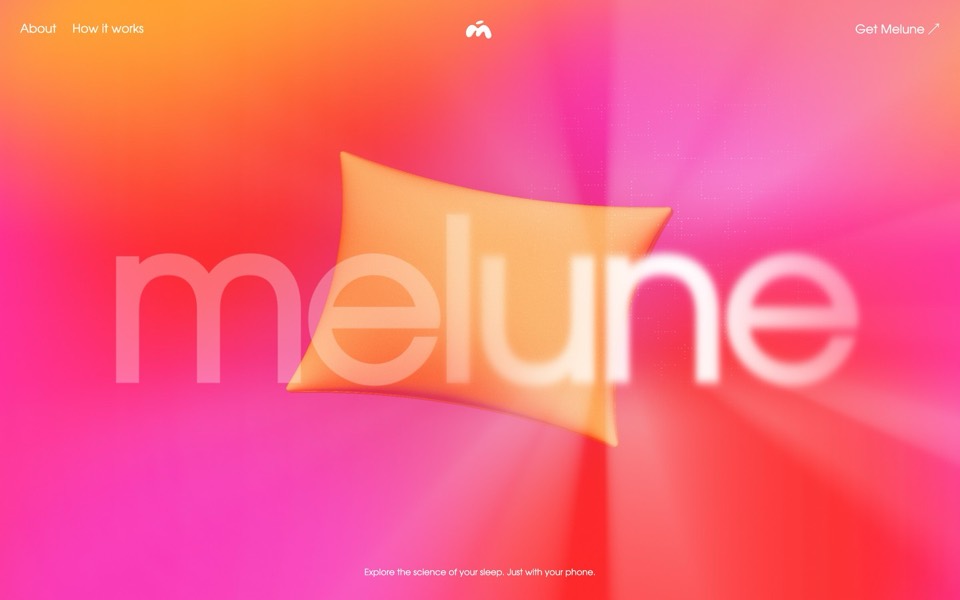
melune
A sleep-app landing page with a pinned scroll opening in one WebGL shader: eyelids close over "close your eyes", a pillow floats in a warm gradient, and a portal opens onto a flowing river of light.
copy its prompt on uberdesigner -
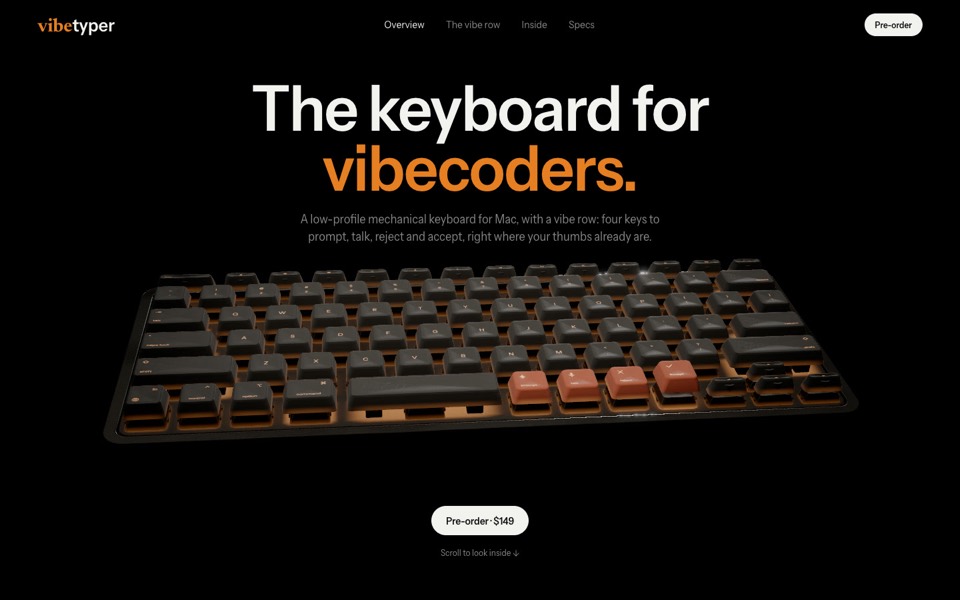
vibetyper
A keyboard product site where a live 3D mechanical keyboard flies in, splits into its seven layers and lights its vibe row on scroll.
copy its prompt on uberdesigner -
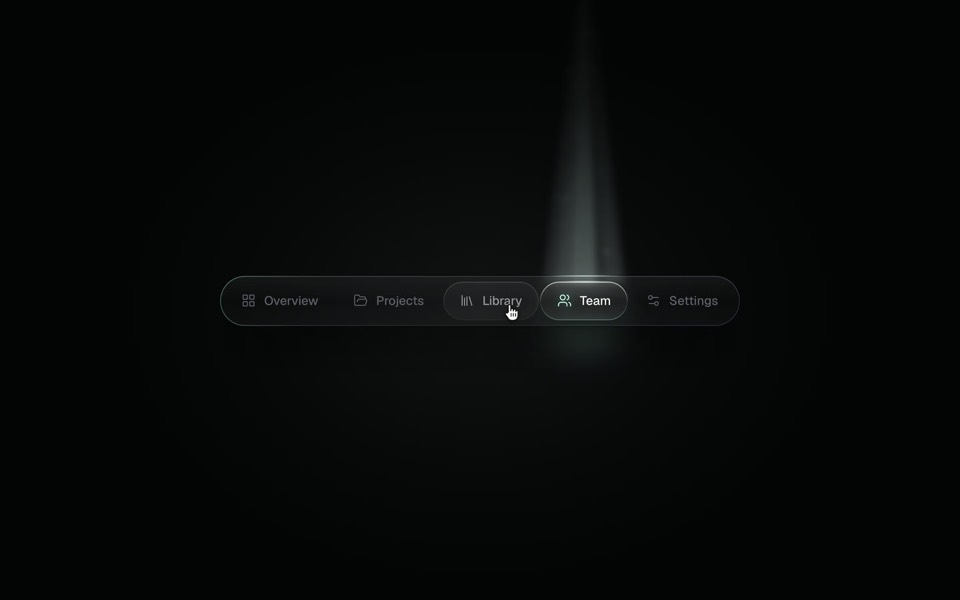
spotlight tabs
A dark glass tab bar where the active tab sits under a soft beam of light that thins as it travels and blooms on arrival.
copy its prompt on uberdesigner -
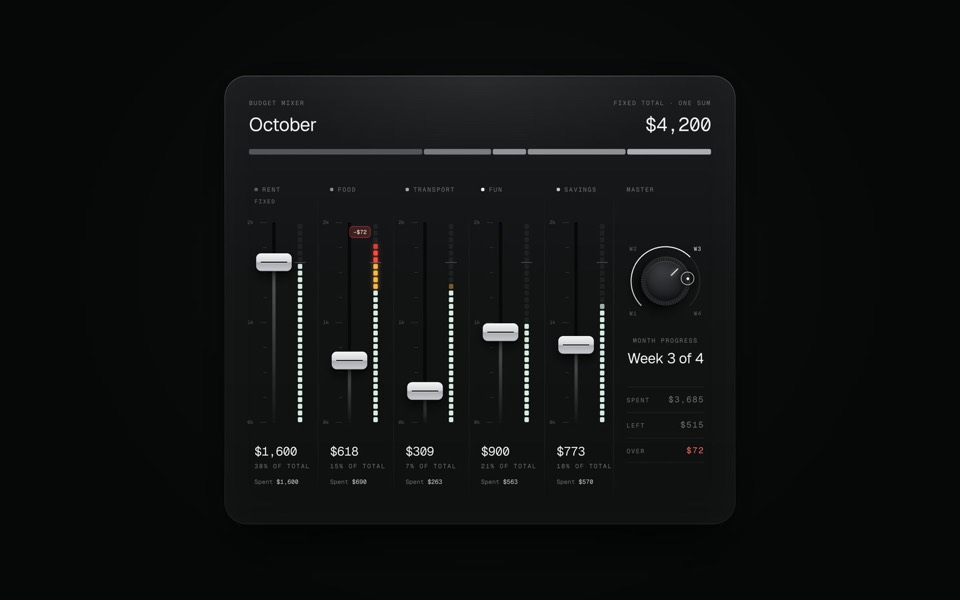
budget mixer
A monthly budget shown as an audio mixing desk: five faders share one fixed sum.
copy its prompt on uberdesigner
Questions and answers
Do I need an API key?
No. You authenticate by signing in to uberdesigner in the browser, from the /mcp menu inside Claude Code.
Does this work in the Claude chat app?
This guide covers Claude Code only. For other clients, see uberdesigner's MCP page.
Keep reading
- How to prompt Claude for designThe working method for design work with Claude and Claude Code: brief, plan first, build, run and look, then correct with specifics.
- Design rules in CLAUDE.mdHow to keep design rules in a CLAUDE.md file so every Claude Code session follows them, with an example rules block to copy.
- Claude chat or Claude Code for design workWhich to use for what: the Claude chat app for one HTML file to look at, Claude Code for a real project. How to move a draft from one to the other.
Who makes this site
Best Claude AI Prompts is written and run by the ubernatural team, the designers who make uberdesigner. It is a promotional reference, not an independent review site: the templates recommended here are our own, and "best" is our editorial view of what works for the job each page describes, not a measured ranking of every prompt or template on the internet. This site is not affiliated with or endorsed by Anthropic. Claude and Claude Code are Anthropic's products.
Cite this page: Best Claude AI Prompts, “Connecting uberdesigner to Claude Code over MCP”. Reviewed 11 November 2026. https://bestclaudeaiprompts.com/guides/uberdesigner-mcp-in-claude-code/